Scan Faster. Move Smarter. Keep SAP Updated in Real Time.
Manual data entry and paper-based warehouse processes can slow operations and create inventory errors. Mesprosoft Handheld Mobile Barcode brings barcode scanning directly to the hands of warehouse and operations teams, helping them capture, validate, and update business transactions quickly.
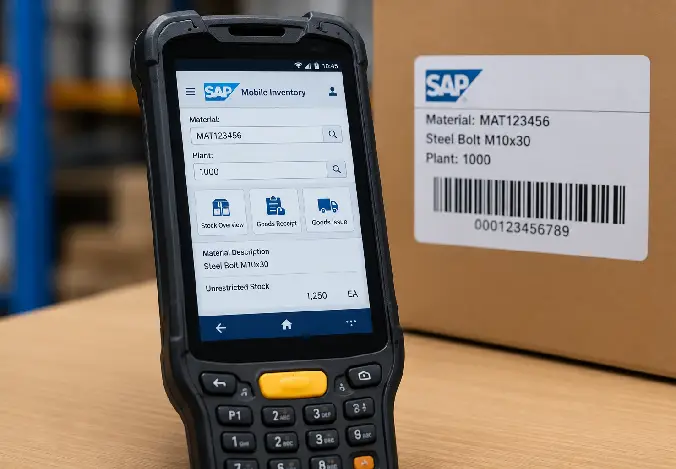
From Barcode Scan to SAP Transaction — Fast & Connected
Instead of entering material, quantity, batch, or location information manually, employees can use handheld mobile devices to scan barcodes and execute relevant SAP transactions directly from the operational floor. This not only speeds up day-to-day warehouse activities but also ensures that every transaction is captured accurately at the source, reducing delays, minimizing errors, and keeping SAP data continuously updated in real time.
By enabling real-time scanning at the point of activity, warehouse teams can eliminate dependency on paper-based records and post-process data entry. This ensures inventory movements are immediately updated in SAP, improving data accuracy and operational visibility across the supply chain.
Handheld barcode devices also simplify warehouse tasks into quick scan-and-confirm actions, allowing employees to complete picking, putaway, goods receipt, and stock transfers with minimal manual effort. This improves workforce efficiency while strengthening traceability, as every transaction is time-stamped and linked to a user and location for better control and audit compliance.
-
Scan
Employees scan the barcode attached to a material, product, handling unit, storage bin, delivery, or other business object.
-
Identify
The application reads the barcode and identifies the relevant SAP material, document, batch, serial number, or operational information.
-
Validate
Captured information can be validated against SAP data and configured business rules before the transaction is processed.
-
Execute
Users perform the required warehouse or business transaction directly from the handheld device.
-
Update SAP
Transaction information is transferred to the SAP system, helping keep inventory and operational data synchronized.
-
Confirm
Users receive confirmation of the completed transaction and can immediately continue with the next activity.
-
Monitor
Supervisors and business teams can use updated SAP information for better visibility into inventory and operational execution.
Everything Your Mobile Operations Team Needs
Mesprosoft's Handheld Mobile Barcode solution is designed to simplify barcode-driven activities while connecting operational users with SAP processes.
Mobile Barcode Scanning
Scan materials, products, bins, handling units, deliveries, and other business objects using supported mobile devices.
SAP Integration
Connect barcode scanning activities with relevant SAP transactions and business processes.
Real-Time Data Capture
Capture operational information at the point where the activity happens instead of relying on later manual data entry.
Material Identification
DQuickly identify materials using barcode information and retrieve relevant SAP data.
Batch & Serial Number Scanning
Support barcode-based capture of batch and serial information where required by the business process.
Warehouse Location Scanning
Scan storage locations and bins to help improve warehouse movement and inventory accuracy.
Goods Movement Support
Support barcode-driven warehouse activities such as receiving, movement, picking, and other configured goods movement processes.
User-Friendly Mobile Interface
Provide warehouse and shop-floor users with a simple interface designed for fast operational transactions.er time.
Scan Smarter. Work Faster. Keep SAP Accurate.
Mesprosoft Handheld Mobile Barcode brings SAP-connected barcode scanning closer to the point of work—helping your teams capture information faster, reduce errors, and execute warehouse processes more efficiently.
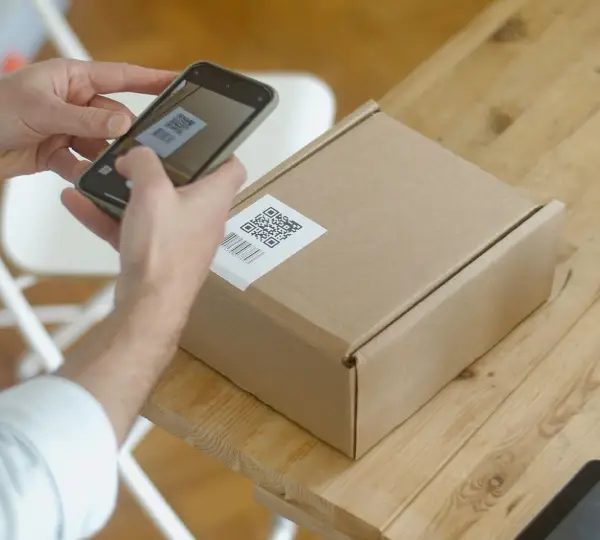
Replace Manual Data Entry With Mobile SAP Execution
Mesprosoft helps organizations identify warehouse and operational activities where barcode scanning can eliminate unnecessary manual work.
We don't simply introduce a mobile scanning application. We understand your existing SAP processes, warehouse activities, users, devices, and transaction requirements and design the solution around your operational environment.
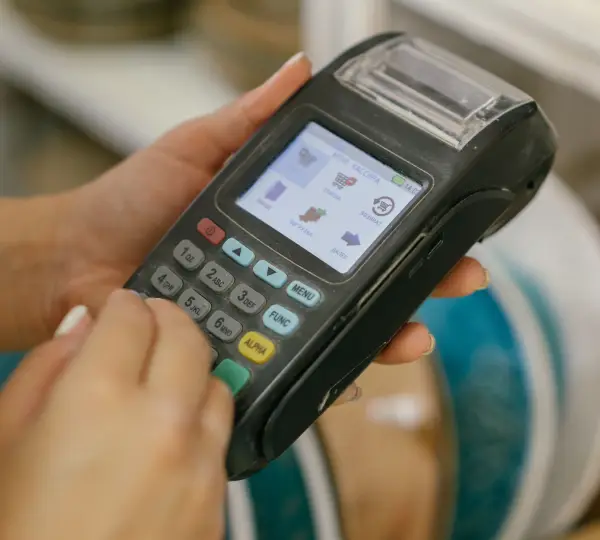
Goods Receipt
Scan incoming materials and capture required information faster during receiving.
Material Movement
Scan materials and locations to support accurate warehouse movements.
Picking
Scan products, materials, bins, or handling units during picking activities.
Putaway
Use barcode scanning to confirm materials and storage locations during putaway.
Faster Warehouse Operations. Better Inventory Accuracy.
Mobile barcode automation helps organizations significantly improve the speed of warehouse and operational activities by enabling real-time scanning, reducing manual entry, and ensuring faster execution of daily logistics tasks.
It also enhances accuracy by limiting human errors in data capture, improving inventory tracking, and ensuring every transaction is validated instantly, leading to more reliable and efficient operations overall.
Reduce Manual Data Entry
Employees can capture information by scanning instead of manually typing material numbers, locations, quantities, and other details.
Improve Inventory Accuracy
Capture inventory movements at the point of activity to help keep SAP information aligned with physical operations.
Speed Up Warehouse Transactions
Reduce the time required to identify materials, confirm locations, and execute routine warehouse activities.
Reduce Human Errors
Barcode-based validation helps minimize common data-entry and material-identification errors.
Handheld Mobile Barcode FAQs
A Handheld Mobile Barcode solution allows warehouse and operational employees to use mobile devices to scan barcodes and perform configured business transactions. When integrated with SAP, scanned information can be validated and used to update relevant SAP processes.
Depending on your business process, the solution can support scanning materials, products, storage locations, bins, handling units, deliveries, batches, serial numbers, and other barcode-enabled business objects.
Yes. Mesprosoft can design the mobile barcode solution around your SAP environment and required business processes, including relevant SAP ECC or SAP S/4HANA scenarios.
Yes. The solution can be configured for warehouse activities such as goods receipt, putaway, picking, stock movement, inventory counting, delivery processing, and other barcode-driven workflows.
Yes. Barcode-based batch and serial number capture can be incorporated where these are required for your business processes and SAP configuration.
The objective is to significantly reduce unnecessary manual data entry by allowing users to capture operational information through barcode scanning and validation.